Visualize Your Day. Optimize Your Free Time.
Structured Flow is a tactile, high-fidelity visual daily planner that helps you structure tasks, build repeating routines, and merge calendars side-by-side.
Free download • Available for iPhone and iPad
Designed for Flow
Everything you need to focus on what matters, without the scheduling overhead.
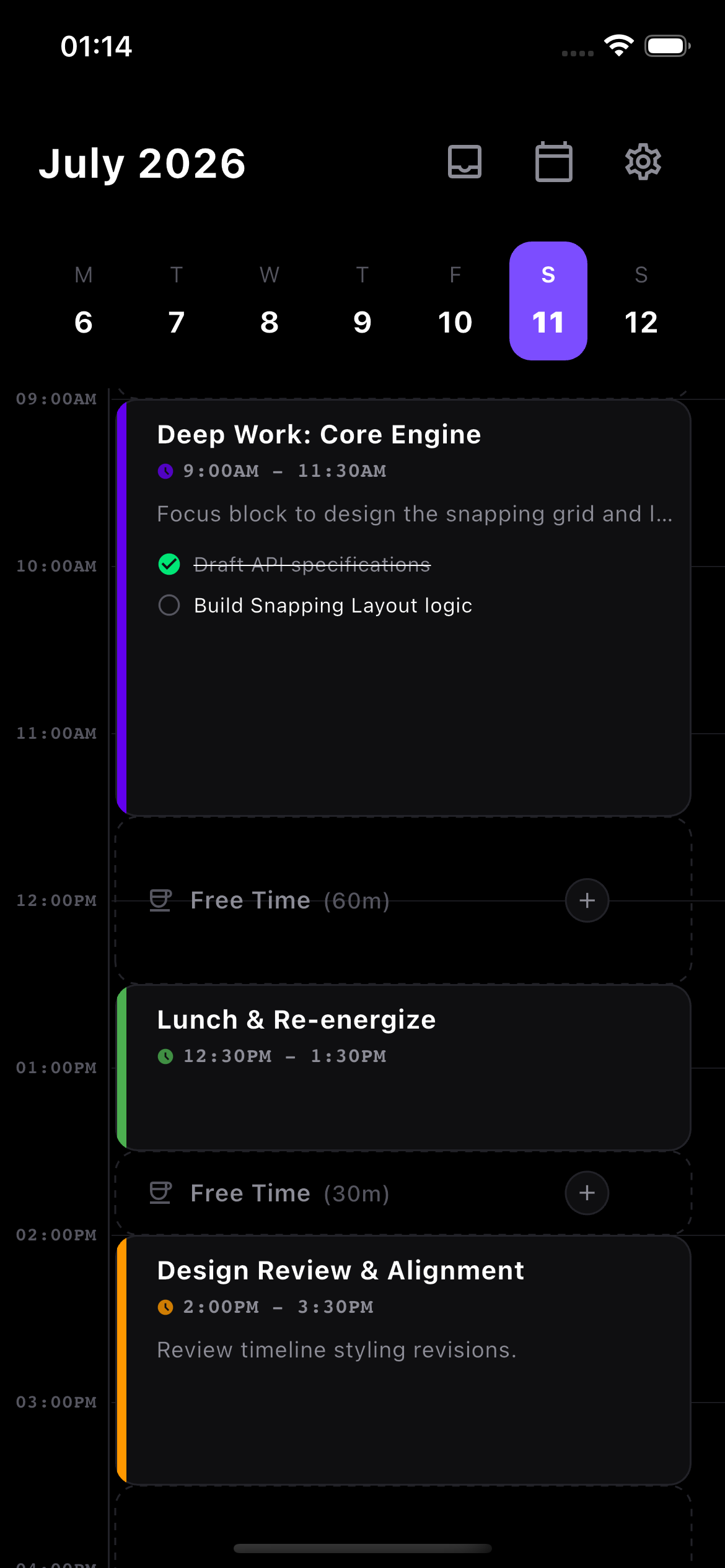
Visualize Your Day
See your hours mapped out in a clean, visual timeline. Instantly see remaining free-time gaps so you can optimize your rest.
Tactile Snapping Rails
Drag, expand, and snap time blocks onto the 15-minute grid. Feel satisfying physical haptic ticks on every snap threshold.
Task Inbox Drawer
Jot down ideas inside the slide-out task inbox. Drag unscheduled items out of the inbox directly onto empty timeline blocks.
Routine & Recurrence
Build custom recurring habits (like workouts every Mon, Wed, Fri) and modify individual occurrences without affecting the master routine.
Dual Calendar Sync
Integrate iCloud, Google Calendar, and device events seamlessly. Events render side-by-side with your local time blocks.
Always-on Widgets
Stay on track directly from your Home and Lock screens. Includes countdown widgets showing time remaining for the active task.
Local First. Private by Design.
We believe your daily schedule is personal. Structured Flow stores your schedule locally by default. Cloud sync, backups, and AI scheduling are optional, and AI requests are sent only after you review the disclosure and give permission. We do not use your information for advertising or cross-app tracking.
- Instant Loading: Zero database lag, completely functional offline.
- Secure Storage: Powered by the high-speed local Isar database engine.
- True Sync: Native iOS/Android calendar integrations update locally without syncing through third-party servers.
Frequently Asked Questions
Got questions? We've got answers.
Structured Flow is free to download from the App Store. Some features may require Premium; current availability and pricing are shown in the app and on its App Store listing. We do not serve advertisements.
The app requests permission to read and write to your device's native calendar store (Google Calendar on Android and iCloud/Exchange on iOS). It reads your active calendars in real-time, displays them side-by-side with your local tasks, and lets you optionally edit them directly inside the app.
Your schedule is stored locally on your device. If you enable Premium cloud synchronization or backups, supported schedule data is also stored securely on S-Flow's backend. When you choose AI scheduling and grant permission, the request and relevant context are processed as explained in our Privacy Policy.